You are definitely not the only person currently searching online to perform an NBAD Balance Inquiry. Thousands of UAE residents still use this old name because it was printed on their original salary account cards when they first started working here.
Here is what you need to know that the NBAD no longer exists as a separate bank. In 2017, National Bank of Abu Dhabi merged with First Gulf Bank to form First Abu Dhabi Bank (FAB). Every NBAD account, Ratibi card, and salary record is now part of FAB. There is no separate NBAD app, no NBAD portal, and no NBAD helpline. Everything runs through FAB.
This guide covers every way to check your balance in 2026, whether you hold a regular FAB account or a Ratibi prepaid salary card.
What Happened to NBAD — Quick Reference
| Then (Before 2017) | Now (2026) |
| National Bank of Abu Dhabi (NBAD) | First Abu Dhabi Bank (FAB) |
| NBAD Mobile Banking | FAB Mobile App |
| NBAD Online Banking | fab.ae online banking |
| NBAD Customer Care | FAB Customer Care: 600 52 5500 |
| NBAD Ratibi Card | FAB Ratibi Card (same card, same system) |
| NBAD SWIFT Code NBADAEAAXXX | Still valid for international transfers |
The old SWIFT code NBADAEAAXXX still shows on some international transfers, which is one reason people keep searching for NBAD. There is no difference between an NBAD and a FAB balance inquiry.
Which Card Do You Have? This Determines Your Method
Most people get a “no results” error because they use the wrong portal. Check your card type first.
| Card Type | Who Has It | Where to Check |
| Regular FAB savings or current account | Salaried professionals, investors | FAB Mobile App or Website |
| FAB credit card | Credit facility holders | FAB Mobile App or Website |
| Ratibi prepaid salary card | Employees earning up to AED 5,000 per month | Magnati PPC portal |
| FAB prepaid card (non-Ratibi) | General prepaid users | Magnati PPC portal |
The Ratibi card is a prepaid salary card issued to employees earning up to AED 5,000 per month. Your employer pays salaries directly onto the card through the UAE WPS system. If your salary is higher than AED 5,000, you need to open a full bank account, as the Ratibi card does not apply above that threshold.
How to Check Ratibi Card Balance — Magnati PPC Portal
This is the correct method for all Ratibi and prepaid salary card holders. Officially, the portal is operated by Magnati, a payments subsidiary of FAB. It is free. No login, no app, and no Emirates ID required.
Step 01: Open any browser and go to ppc.magnati.com/ppc-inquiry.
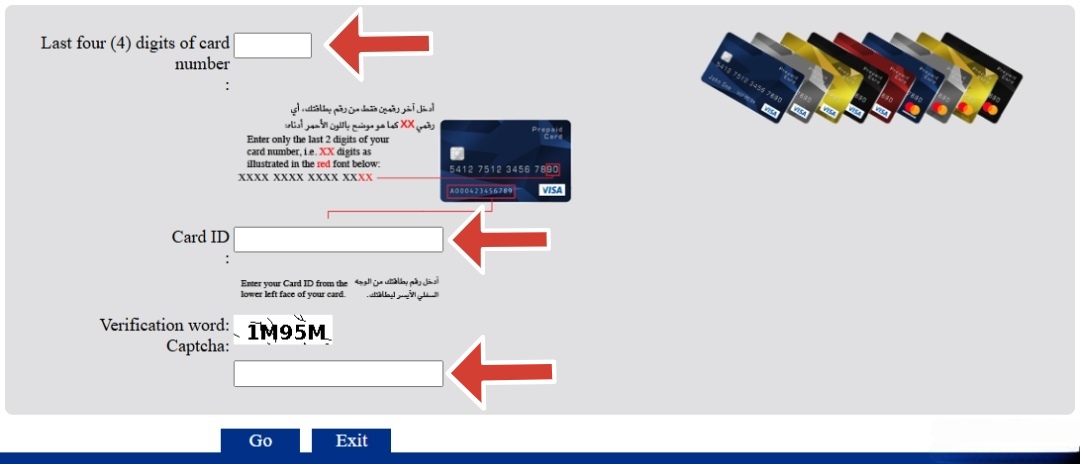
Step 02: Enter the last 4 digits of your 16-digit Ratibi card number in the first field.
Step 03: Enter your 13-digit Card ID in the second field. It is the smaller number printed directly below the main card number on the front of your card.
Step 04: Type the captcha code shown on screen.
Step 05: Click ‘Go’ and your current balance and the last 10 transactions will appear immediately.
In order to get a complete understanding of your transaction breakdown, you can easily perform a Ratibi salary card check to get all the required details instantly.
How to Check FAB Account Balance — FAB Mobile App
Best for regular FAB account holders. The app gives you real-time balance, full transaction history, and account management in one place.
Step 01: Download the FAB Mobile App from the Google Play Store or Apple App Store.
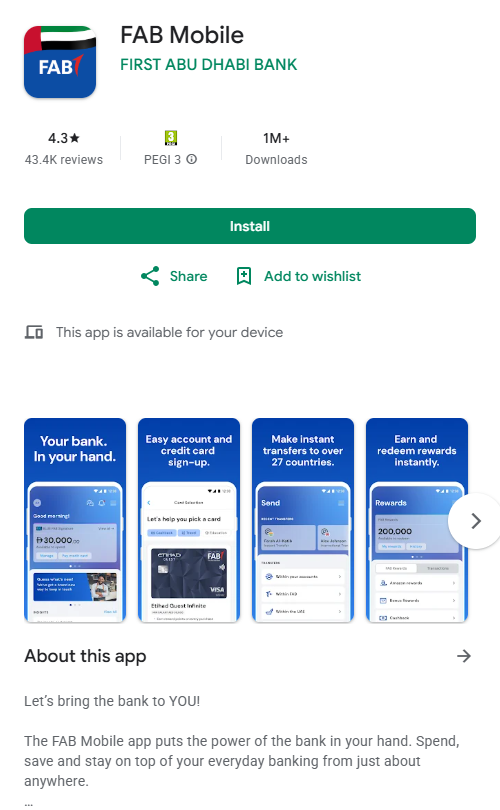
Step 02: Register using your Emirates ID and card or account details for the first time only.
Step 03: Set up fingerprint or face ID login for faster access next time.
Step 04: Log in and your balance appears on the home dashboard immediately.
Step 05: Tap any account or card to see transactions, statements, and recent activity.
Step 06: For Ratibi cards, go to ‘Cards,’ then ‘Prepaid Cards,’ and select your Ratibi card.
Ratibi card not showing in the app? Use the Magnati PPC portal directly. You can also download the Payit wallet app by FAB, link your Ratibi card there, and check balances instantly from the Payit home screen.
If you need a complete breakdown of all options across different account types and credit facilities, you can easily perform a FAB balance check to view your exact details. You can also locate the nearest FAB ATM or branch before heading out by checking the full UAE-wide list.
Other Ways to Check Your Balance
Multiple convenient options are available if you prefer not to use online methods. These offline alternatives can also be used to conduct an NBAD balance inquiry.
FAB ATM — No Internet Needed
Works for all card types. FAB has over 700 ATMs across the UAE. All former NBAD ATMs are now FAB-branded.
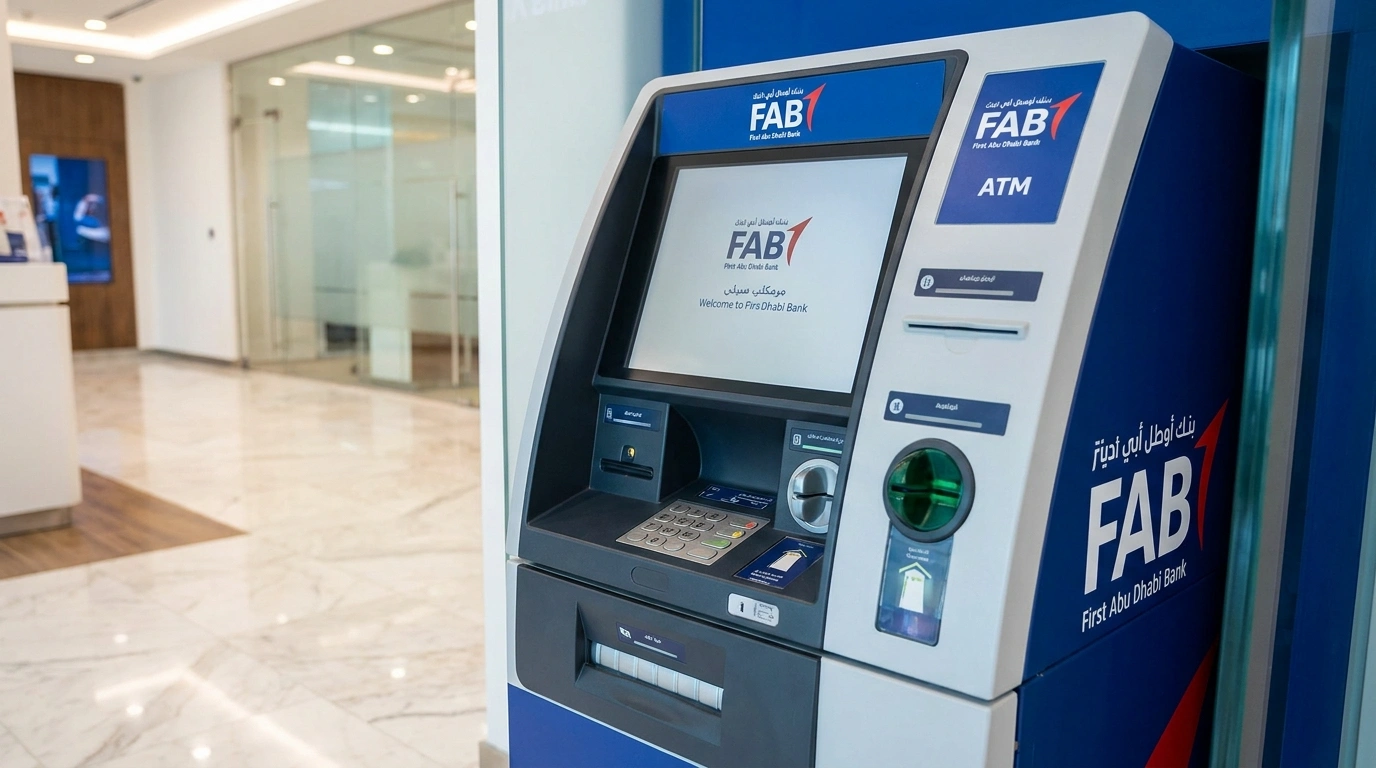
Step 01: Insert your FAB or Ratibi card and enter your 4-digit PIN.
Step 02: Select Balance Inquiry from the on-screen menu.
Step 03: Your balance appears on screen. Select Print if you want a physical receipt.
Salary Day Tip: The Magnati PPC portal slows down between the 25th and the 28th of every month. Use an ATM on payday for an instant result with zero waiting.
SMS to 2121 — Ratibi Card Holders Only
No internet is needed. Works on any basic phone.
- Open Messages on your registered UAE mobile number.
- Type your card details in the format shown in your welcome SMS or card documentation.
- Send to ‘2121.’
- A balance reply arrives within seconds.
Standard UAE SMS charges apply. The number must match the one registered in your FAB or Ratibi account. You can confirm the number’s status by calling 600 52 5500.
Phone — Works 24/7 for All Card Types
| Who to Call | Number | For |
| FAB Customer Care (UAE) | 600 52 5500 | Regular FAB accounts, credit cards, salary accounts |
| FAB International | +971 2 6811511 | Calling from outside UAE |
| Ratibi Helpline (UAE) | 600 52 2298 | Ratibi card issues only |
| Ratibi International | +971 2 4996279 | Ratibi queries from outside UAE |
All Balance Check Methods — Quick Reference
| Method | Card Type | Internet | Best For |
| Magnati PPC Portal | Ratibi and prepaid | Yes | Fastest online check, no login needed |
| FAB Mobile App | Regular and Ratibi | Yes | Daily use, full account view |
| fab.ae Online Banking | Regular FAB account | Yes | Browser-based full access |
| FAB ATM | All card types | No | Salary days, no smartphone |
| SMS to 2121 | Ratibi card | No | Basic phones, no internet |
| Call 600 52 5500 | All FAB accounts | No | Phone banking, lost card |
| Call 600 52 2298 | Ratibi card only | No | Ratibi-specific issues |
Salary Not Showing on Ratibi Card? Follow These Steps
- Wait until the end of the business day on your salary date. WPS credits process between 9 AM and 5 PM. Some employers release their payroll late in the afternoon.
- Check the exact balance on the Magnati PPC website to confirm whether it has appeared.
- Contact your employer or HR first. Salary is released by the employer through the WPS system, not by the bank.
- Call the Ratibi helpline on 600 52 2298 if your employer confirms salary was sent, but the card shows nothing after 24 hours.
- File a WPS complaint with MoHRE if your salary is delayed beyond the 10th of the following month. If job disruptions are a recurring issue, check your options for unemployment insurance in the UAE, which covers protection during employment gaps.
Common Errors and Quick Fixes
| Problem | Likely Cause | Fix |
| Magnati portal shows error | Wrong Card ID or wrong card digits entered | Re-enter carefully. Card ID is 13 digits. Only the last 4 digits of your 16-digit card number go in the first field. |
| Portal loading slowly | High traffic on salary days (25th to 28th) | Wait 10 to 15 minutes and try again. Use ATM as the backup. |
| FAB app not showing balance | App outdated or cache issue | Update the app or clear cache in your phone settings then relaunch. |
| SMS balance not received | Mobile number not registered or not linked | Call FAB on 600 52 5500 to confirm your registered number. |
| Card blocked at ATM | PIN entered incorrectly 3 times | Call 600 52 5500 or 600 52 2298 to unblock. |
| Old NBAD card declined at terminal | Physical card may have expired | Visit any FAB branch with your Emirates ID for a replacement card. |
Frequently Asked Questions
Is NBAD still a bank in the UAE?
No. NBAD merged with First Gulf Bank in 2017 to form First Abu Dhabi Bank (FAB). All NBAD accounts, Ratibi cards, and services now run under FAB. There is no separate NBAD app, portal, or helpline.
How do I check my NBAD Ratibi card balance online?
Go to the official PPC Maganti portal in any browser. Enter the last 4 digits of your 16-digit card number in the first field, then your 13-digit Card ID in the second field. Enter the captcha and click Go. Balance and the last 10 transactions appear right away. No login or an app needed.
What is the NBAD customer care number in 2026?
For regular FAB accounts call 600 52 5500. For Ratibi card issues, please call 600 52 2298. From outside the UAE, dial +971 2 6811511 for FAB or +971 2 4996279 for Ratibi.
Can I check my balance without the internet?
Yes. Insert your card at any FAB ATM and select ‘Balance Inquiry’. No internet or a smartphone is needed. You can also text your card details to ‘2121’ from your registered UAE number, or call 600 52 5500 for a phone-based check.
My salary has not appeared on my Ratibi card. What do I do?
Wait until the end of the business day first. Then contact your HR or employer to confirm the salary was released through WPS. If they confirm it was sent but the card still shows nothing after 24 hours, call the Ratibi helpline on 600 52 2298.
Can I check my NBAD balance from outside the UAE?
Yes. The FAB Mobile App and Website work internationally. The Magnati PPC portal also works from any country with the internet. SMS balance check will depend on roaming availability on your UAE number.
Final Thoughts
NBAD is now FAB and has been since 2017. Every balance check, helpline, and portal runs through FAB channels now.
Ratibi cardholders, Magnati PPC portal is your fastest free solution. No login, no application, results in seconds. Regular FAB account holders can access their balances via the FAB Mobile App, which provides a complete history of their transactions. If your salary is consistently near the AED 5,000 threshold, it may be worth making the move to open a bank account in Dubai. This will enable you to take advantage of complete banking services.

Haris Khan is the lead content expert at TheEmiratesGuides.com, where he oversees the documentation of UAE visa processes, employment opportunities, and government services. With a commitment to factual integrity and real-time updates, he provides the technical expertise necessary to guide readers through the complexities of life and work in the UAE.