
You tap your NOL card at a Dubai Metro gate and the machine beeps red. The balance has run out. It is one of the most avoidable situations for anyone using Dubai public transport, and it happens all the time.
This guide covers five official ways to check your NOL card balance, how to recharge it, and quick fixes for errors that come up. Whether you use the metro daily or are a tourist on your first trip, the process takes under two minutes.
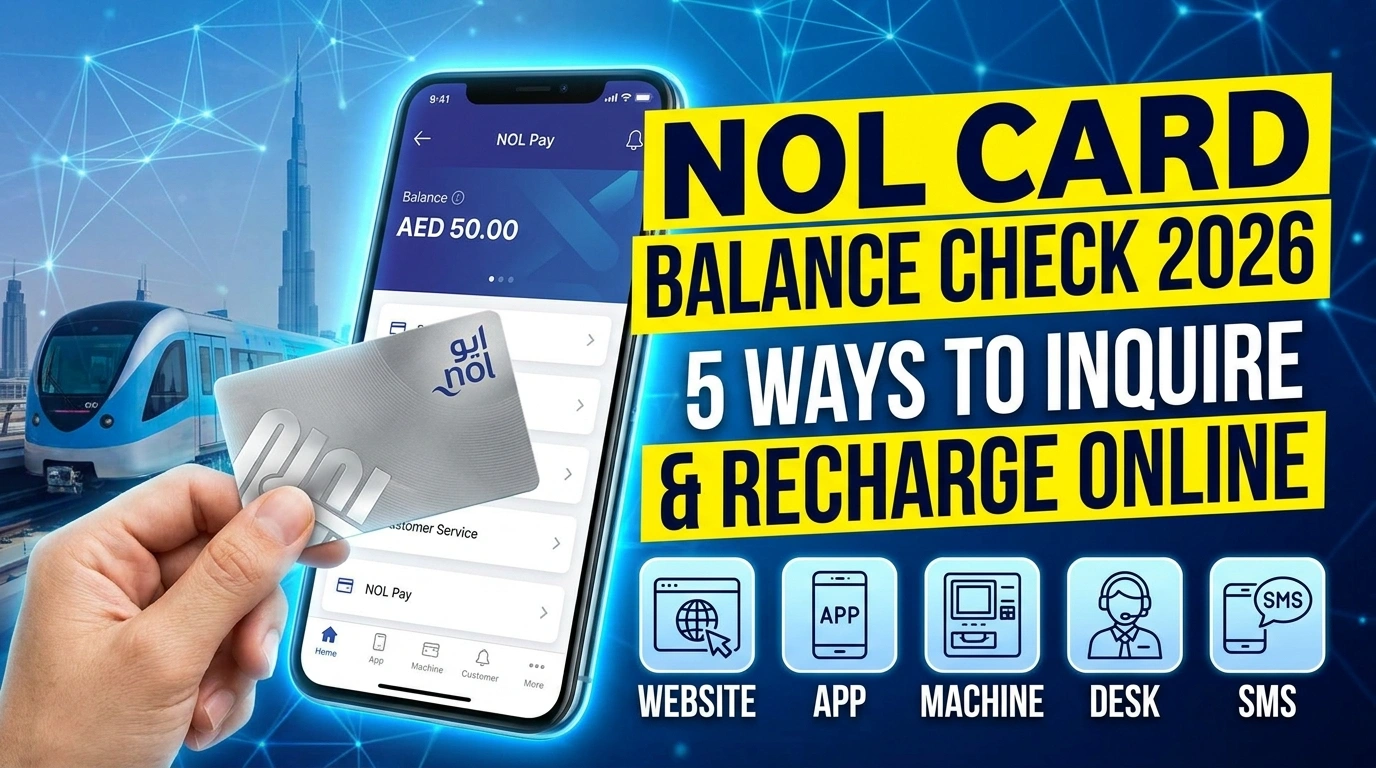
One number to keep in mind is that you need at least AED 7.50 on your NOL card to start a metro or bus journey. If you are anywhere close to that amount, you should check and top up before you travel to ensure your daily commute remains completely smooth and uninterrupted.
What is a NOL Card?
The NOL card is a contactless smart card issued by RTA Dubai (Roads and Transport Authority). It is the only payment method accepted on Dubai Metro, buses, trams, and water buses. Cash is not accepted on any of these services.
You can also use it for RTA public parking, and some retail outlets. Every NOL card has a NOL Tag ID printed on the back. This is a 10 or 14-digit number you will need whenever you check your balance or recharge online.
NOL Card Types
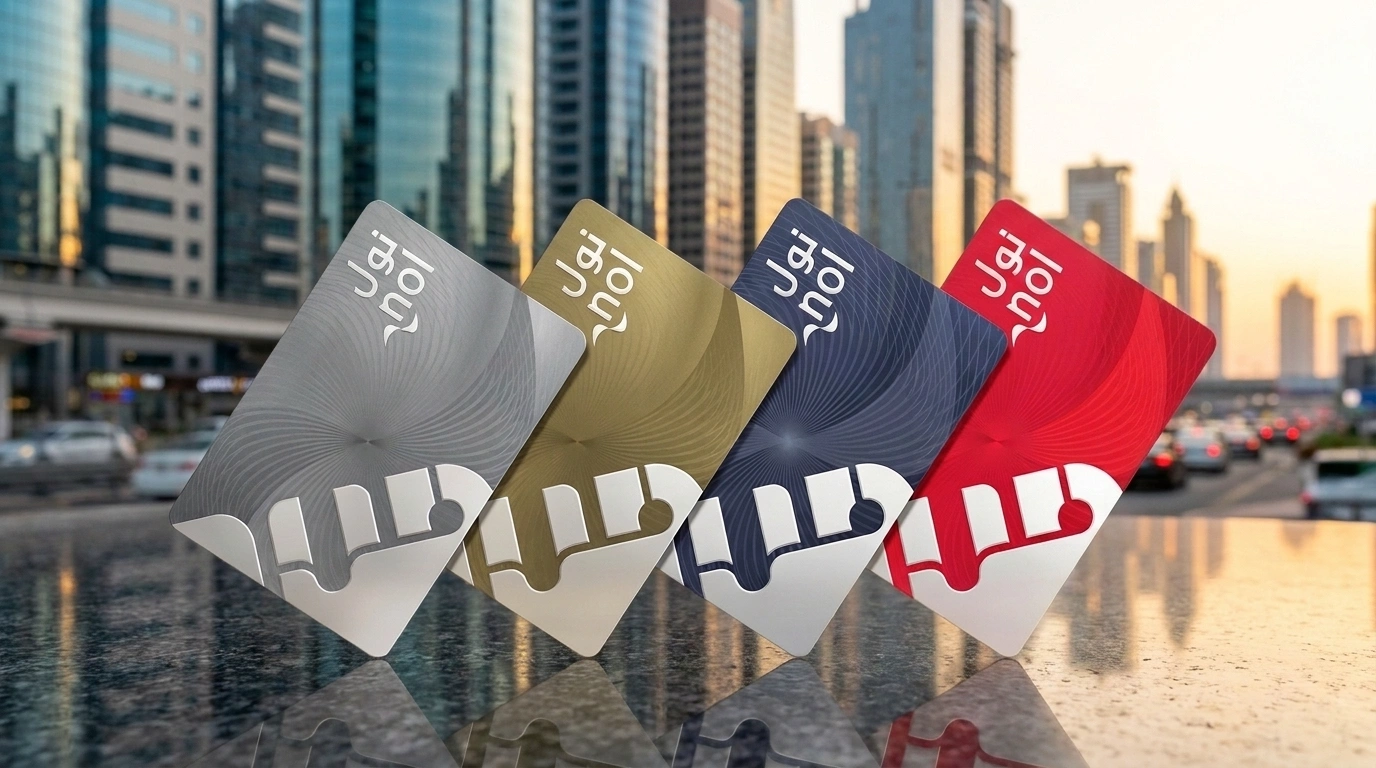
There are four types of NOL cards. Knowing which one you have matters because it affects how you check balances, whether you can recover a lost balance, and how much you pay per journey.
| Card Type | Cost | Pre-Loaded Credit | Who It Is For | Validity |
| Silver | AED 25 | AED 19 | Standard daily commuters | 5 years |
| Gold | AED 25 | AED 19 | Gold Class cabin access (pays double fare per trip) | 5 years |
| Blue (Personalized) | AED 70 | AED 20 | Students, seniors, people who want balance protection | 5 years |
| Red Ticket | AED 2 | None | Tourists and short-term visitors (1 to 3 days) | 90 days |
The Blue NOL card is linked to your Emirates ID. If your card is lost or stolen, you can block it and recover your full balance. Silver and Gold cards cannot have their balance recovered after loss, but you can register them on the NOL Pay app as a precaution. If you have a Blue card, make sure your Emirates ID is valid since the card is tied directly to it.
The Red Ticket cannot be recharged online, but only at metro station machines or ticket offices. All other card types support online recharge.
How to Check NOL Card Balance — 5 Official Methods
All five methods below are free. Pick the one that fits where you are and what you have access to.
Method 1: RTA Website — No App, No Login Needed
The quickest method is to use a browser. You do not need an account or a password. Just your NOL Tag ID on the back of the card.
Step 01: Go to the official RTA Dubai website.
Step 02: Click on “Check NOL Balance” on the homepage.
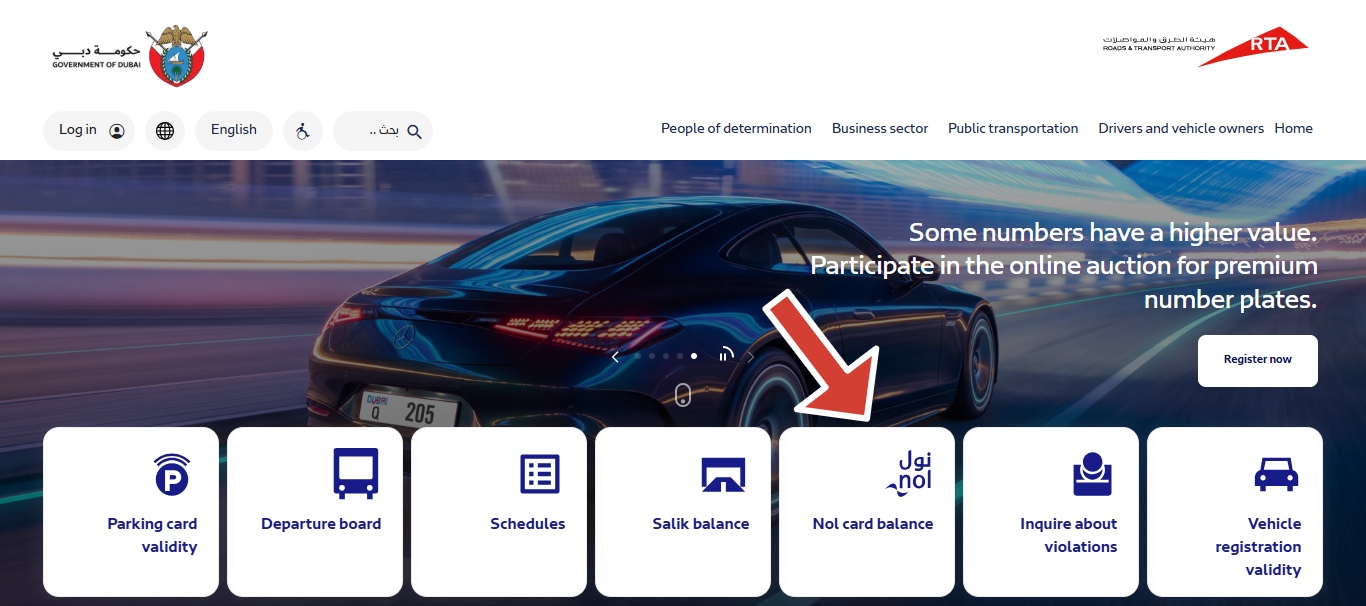
Step 03: Enter your 10-digit NOL Tag ID on the back of your card.
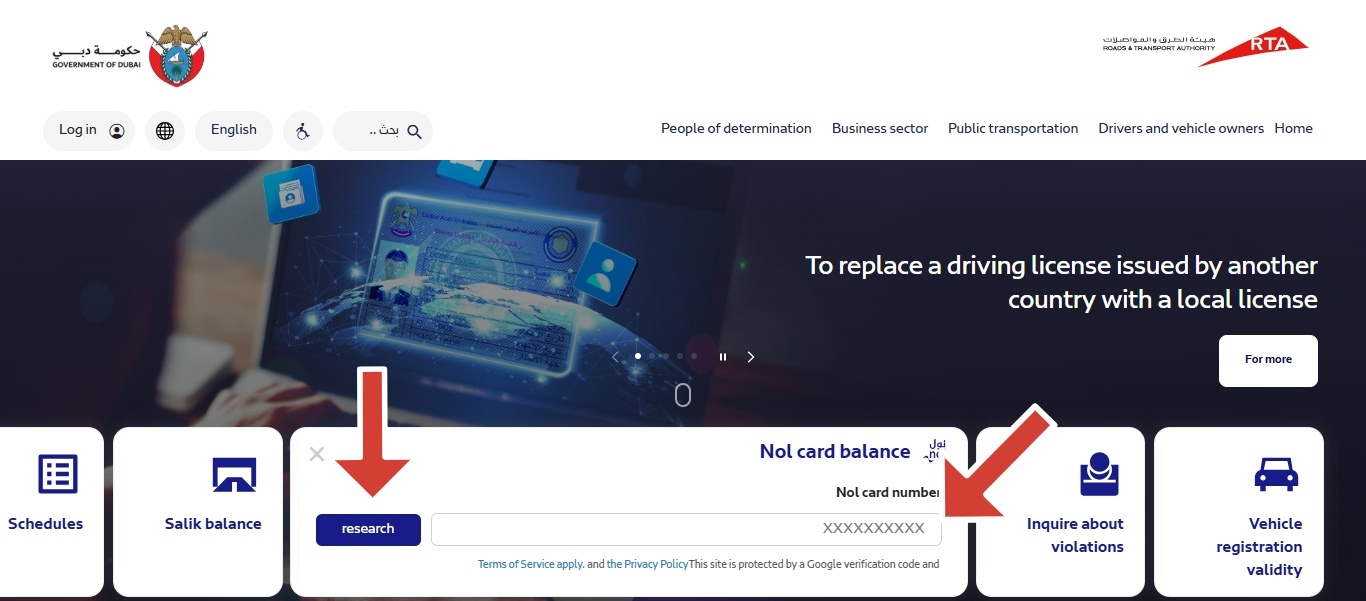
Step 04: Click ‘Search’ and your current balance, pending credit, and card expiry date will all appear.
Error Fix: If the portal shows “Card Not Recognized” double-check each digit of your Tag ID. If it starts with 8001, you have an older card and need to visit a metro station to replace it.
Method 2: NOL Pay App — Best for Regular Users
The NOL Pay app is the official RTA app for managing your NOL card. It lets you check your balance in real time, top up using NFC-supported phones, add travel passes, and report lost or damaged cards.
Step 01: Download NOL Pay from Google Play Store or Apple App Store.
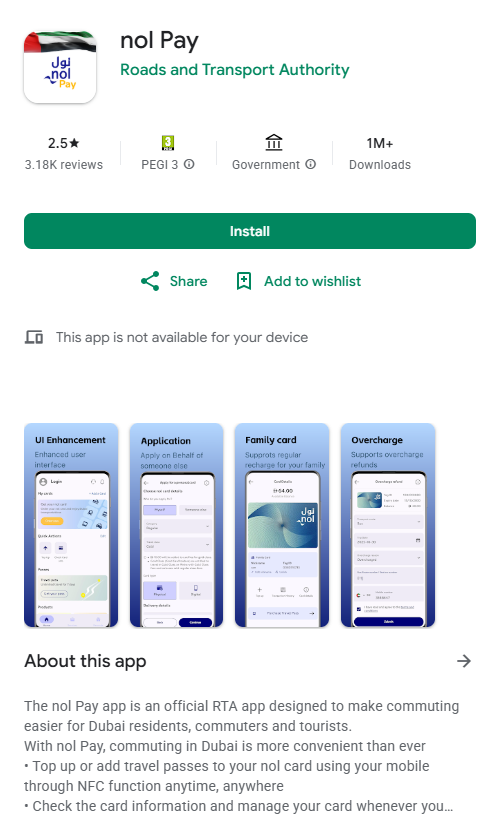
Step 02: Sign in with UAE Pass or register with your mobile number.
Step 03: Add your card by entering the NOL Tag ID or scanning via NFC if your phone supports it.
Step 04: Your balance appears on the home screen. Tap the card to see the full transaction history.
Important: Online recharges through the NOL Pay app take 45 minutes to 4 hours to activate. The balance shows as pending until you tap on your card at a metro gate, bus validator, or RTA parking machine. Station top-ups at vending machines are instant.
Method 3: SMS — Send BAL to 511 (No Internet Needed)
The fastest method when you have no internet access. Works on any mobile network in the UAE.
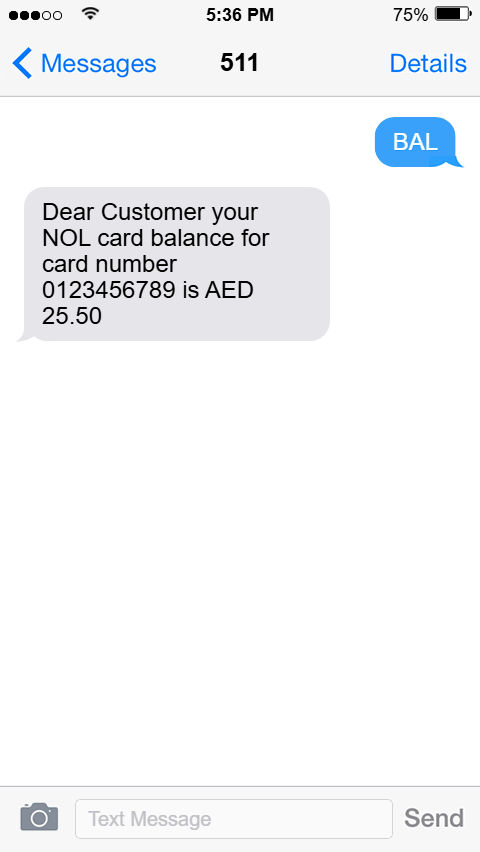
- First-time setup: send your NOL Tag ID as a text message to 511 — RTA registers your mobile number.
- After registration, text ‘BAL’ to 511 from your smartphone.
- RTA replies immediately with your current balance.
Note: If SMS replies are not arriving, call RTA customer service at 800 9090. Also, check that you are texting from the number you originally registered with RTA.
Method 4: Metro Station Kiosk or Ticket Vending Machine
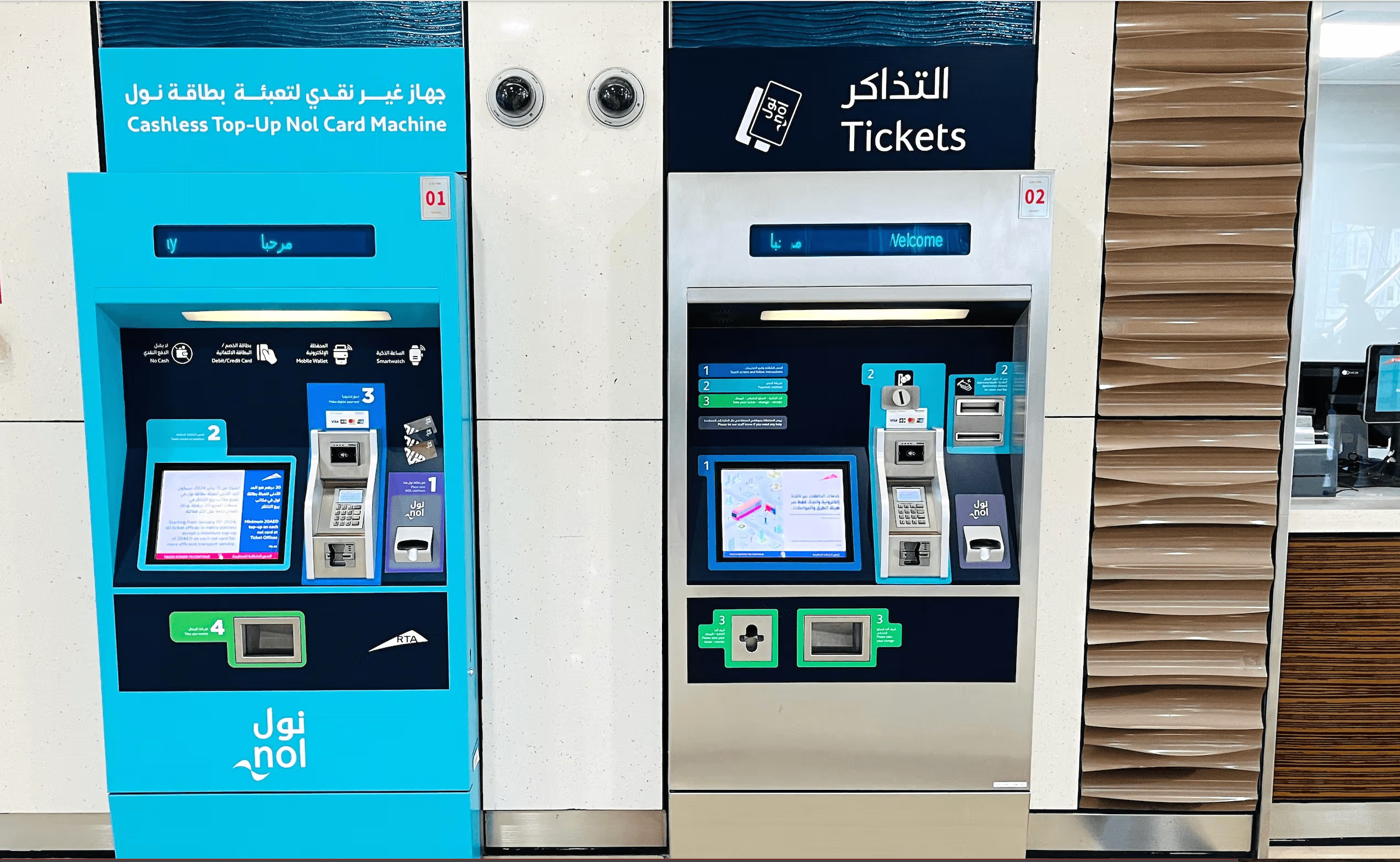
Available at every Dubai Metro station. No phone, no internet, no account required.
- Go to any ticket vending machine or balance inquiry device at a Dubai Metro station.
- Place your NOL card in the designated card reader area.
- Your current balance appears instantly on the screen.
- You can also recharge directly at the machine without any pending delay.
Method 5: Tap at the Metro Gate or Bus Reader
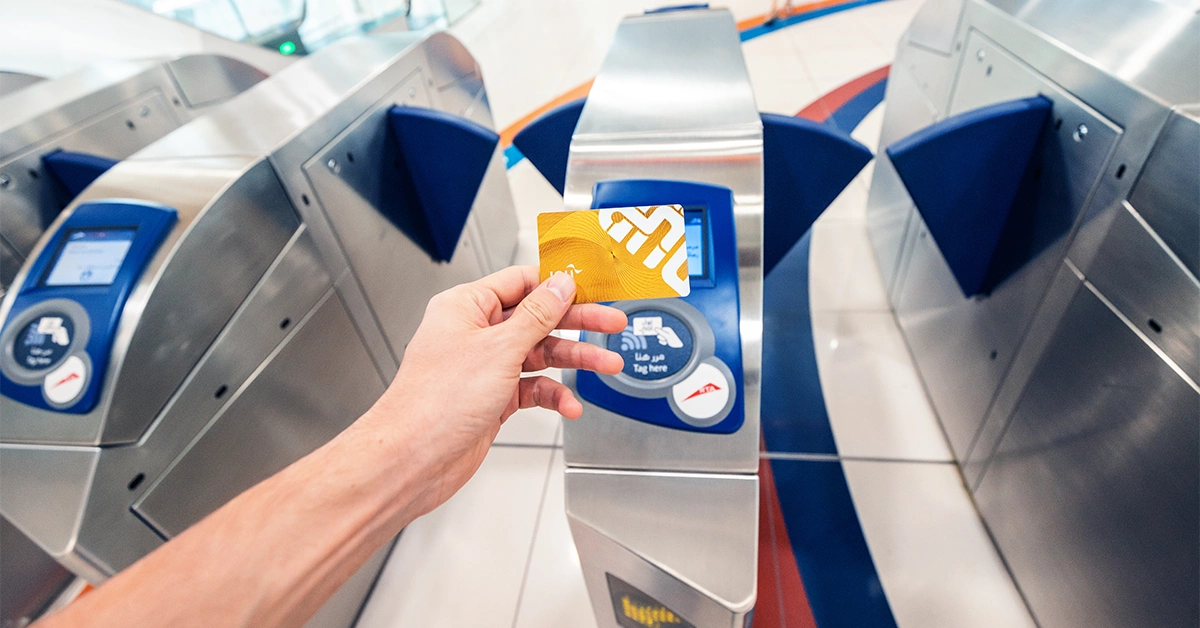
The most effortless method if you are already at a station. Tap your NOL card on the reader at the metro gate or bus entrance. Your remaining balance shows on the display screen before the gate opens.
No steps are needed, just tap and look at the screen. This is also how pending balances from online recharges get activated.
How to Recharge Your NOL Card
Once you have checked your balance and it is running low, here is how to top up.
| Method | Minimum Top-Up | Activation Time | Payment Accepted |
| RTA Website (rta.ae) | AED 5 | 45 mins to 4 hours* | Credit/debit card |
| NOL Pay App | AED 5 | 45 mins to 4 hours* | Card, Apple Pay, Google Pay, Samsung Pay |
| Metro Vending Machine | AED 20 | Instant | Cash and card |
| Staffed Ticket Office at Metro | AED 50 | Instant | Cash and card |
| Convenience stores / supermarkets | Varies | Instant | Cash and card |
Online top-ups sit as a pending balance until you tap your card at a metro gate, bus validator, or RTA parking machine to activate. If the balance still does not show after 4 hours, tap the card at a gate first. If that does not work either, call RTA at 800 9090.
The Red Ticket (AED 2 paper card) cannot be recharged online. It can only be topped up at station machines or ticket offices. If you are a tourist thinking about which card to get, the Silver NOL card is the better value for stays of 4 or more days.
Tip: If you are travelling to Abu Dhabi and using public buses there, the NOL card does not work across the border. Abu Dhabi uses the Hafilat card for its own bus network.
Common Errors and How to Fix Them
“Card Not Recognized” on RTA website: Double-check every digit of your NOL Tag ID. Cards starting with 8001 are outdated models, so please visit any metro station to get a replacement.
Balance not updating after online recharge: Online top-ups need to be activated. Tap your NOL card at any metro gate, bus validator, or parking machine. Wait up to 4 hours for the sync. If it still does not update, call RTA at 800 9090 with your recharge reference number.
SMS not arriving from 511: Make sure you are texting from the mobile number registered with RTA. If you changed your number, re-register with your new Tag ID first.
Balance shows on app but not activating on buses or trams: You need to tap the card at a metro gate specifically to sync the balance. Once tapped there, it works across all RTA services.
NOL Pay app not showing correct balance: Pull down to refresh the screen. If the last transaction was at a station, wait 15 minutes for the system to sync and refresh again.
Frequently Asked Questions
How do I check my NOL card balance without using the app?
Go to official RTA website, click Check NOL Balance, enter your Tag ID, and click Search. No app, no account, no login needed. You can also text BAL to 511 for an instant SMS reply.
What is the minimum balance needed to travel on Dubai Metro?
You need at least AED 7.50 on your NOL card to board the metro or bus. Keep AED 20 as a comfortable buffer for a return trip including zone changes.
How long does an online NOL recharge take to show up?
Between 45 minutes and 4 hours. The balance sits as pending until you tap your card at a metro gate, bus validator, or RTA parking machine. After that it activates immediately.
Can tourists use a NOL card?
Yes. For a stay of 1 to 3 days, the Red Ticket (AED 2) is the simplest and cheapest option. For 4 or more days, the Silver NOL card (AED 25 with AED 19 pre-loaded) gives better per-trip value since metro fares are lower on it than on the Red Ticket.
What happens if I lose my NOL card?
If you have a Blue personalized NOL card, it is linked to your Emirates ID. Block it through the NOL Pay app or by calling RTA at 800 9090 and your balance is recovered. Silver and Gold cards do not have balance recovery after loss — register them on the NOL Pay app before that happens.
What is the NOL card validity?
Silver, Gold, and Blue cards are valid for 5 years. Red tickets are valid for 90 days from purchase. Your balance does not expire as long as the card is valid.
Final Thoughts
Checking your NOL card balance takes under a minute using the RTA website, the NOL Pay app, or a quick text to 511. The best habit is to check your balance before every trip or at least once a week if you commute daily.
If your balance is low, top up online through the NOL Pay app and tap your card at the next metro gate to activate it. If you are ever stuck at a gate, the nearest ticket vending machine at any metro station can top you up immediately with instant activation.

Haris Khan is the lead content expert at TheEmiratesGuides.com, where he oversees the documentation of UAE visa processes, employment opportunities, and government services. With a commitment to factual integrity and real-time updates, he provides the technical expertise necessary to guide readers through the complexities of life and work in the UAE.