
Riding a bus in the capital city requires preparation because drivers simply do not accept cash. If you tap the machine and lack the required funds you will be left waiting at the station. To avoid any unwanted inconveniences, understanding the proper Hafilat Card Balance Check and recharge online process is absolutely essential.
Introduced by the Integrated Transport Centre this official smart card makes travel incredibly easy. You just tap upon boarding and exit while the system automatically deducts your exact fare based on distance.
There are two key details to remember before travelling. Firstly, there is no official SMS service to verify your remaining funds remotely. Secondly, adding money online requires a quick manual sync before the funds actually activate. We explain both of these necessary steps below, so your journey remains completely trouble-free when planning a trip from Abu Dhabi to Dubai.
What Is the Hafilat Card and How Does It Work?
The Hafilat card is a contactless smart bus card for all public buses on Abu Dhabi city, Al Ain, Al Dhafra, and inter-emirate routes. Tap in when boarding, tap out when exiting, and the fare is deducted automatically.
Cash is not accepted on Abu Dhabi buses. No card means no boarding. The system requires a minimum of AED 10 on your card as a security threshold before you can board. This ensures enough funds exist for the maximum possible fare, even if the actual fare turns out to be lower.
| Feature | Detail |
| Issued By | Integrated Transport Centre (ITC), Abu Dhabi |
| Used On | Abu Dhabi buses, Al Ain buses, inter-city routes |
| Payment Method | Tap in and tap out on bus validator |
| Minimum Balance to Board | AED 10 (system security threshold) |
| Minimum Recharge Amount | AED 10 |
| Card Validity | Up to 16 years (personalised card) |
| Balance Validity | 3 months from last use if card is unused |
| Cash Payment on Bus | Not accepted |
Types of Hafilat Cards in Abu Dhabi 2026
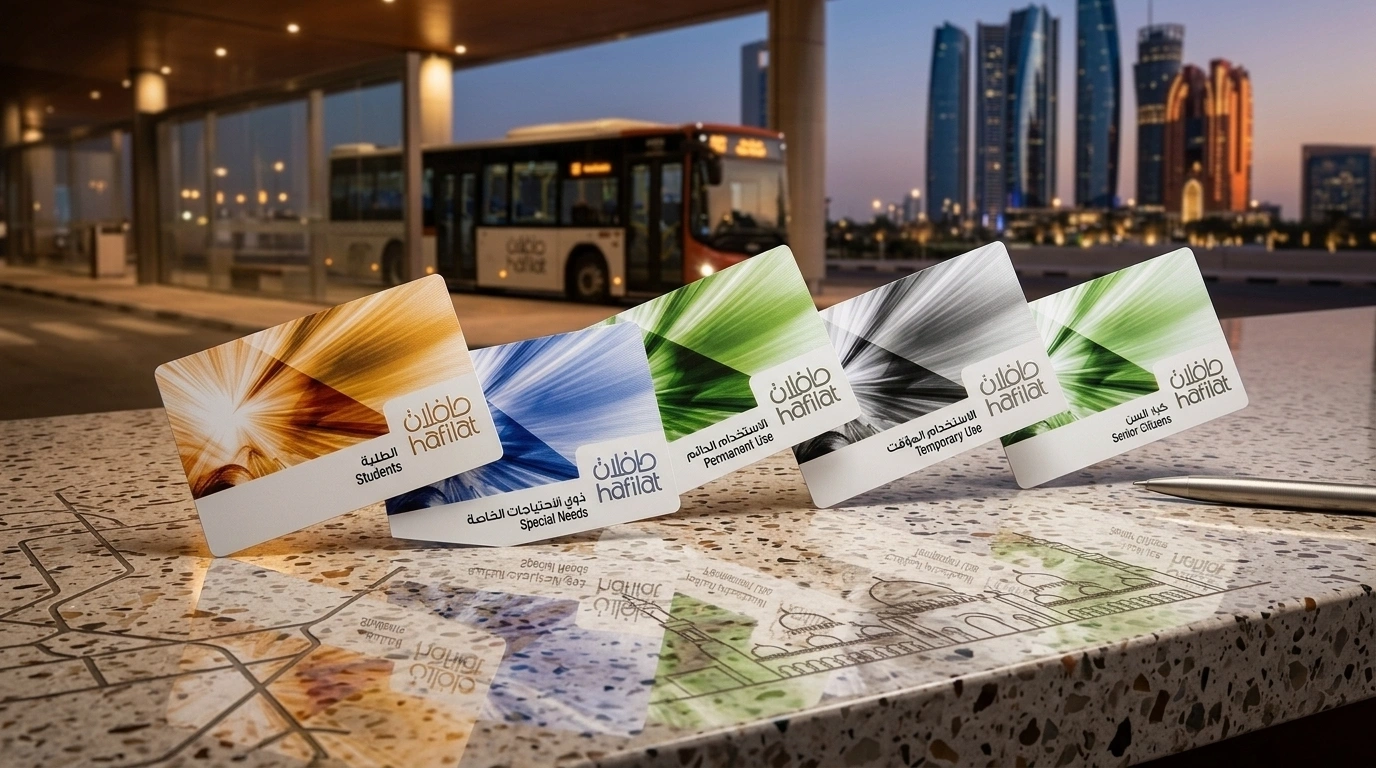
Two main card types are available and the differences matter, especially if you ever lose your card.
| Feature | Anonymous Card | Personalised Card |
| Registration | Not required | Linked to Emirates ID |
| Purchase | Any kiosk, no ID needed | Requires Emirates ID |
| Cost | Free | Free |
| Lost Card Recovery | Balance cannot be recovered | Balance transferable to new card |
| Online Balance Check | By card serial number | Via Darb account login |
| Best For | Tourists, occasional users | Daily commuters and residents |
Any resident who uses the bus more than once a week should get a personalised card. If you lose an anonymous card, your balance is gone permanently.
How to Check Hafilat Balance (Online & Offline Methods)
You can easily check your Hafilat balance using your smartphone or a physical machine. Read the simple digital and manual options below to find your preferred method today.
Using the Official DARB Platform
The official portal is operated through the Darb platform by ITC Abu Dhabi. No login is required for a basic balance check. All you need is your 16-digit card serial number, printed on the back of your card.
Step 01: Go to the official DARB platform in any browser on your phone or computer.
Step 02: Click the ‘Register Here’ option on the top right.
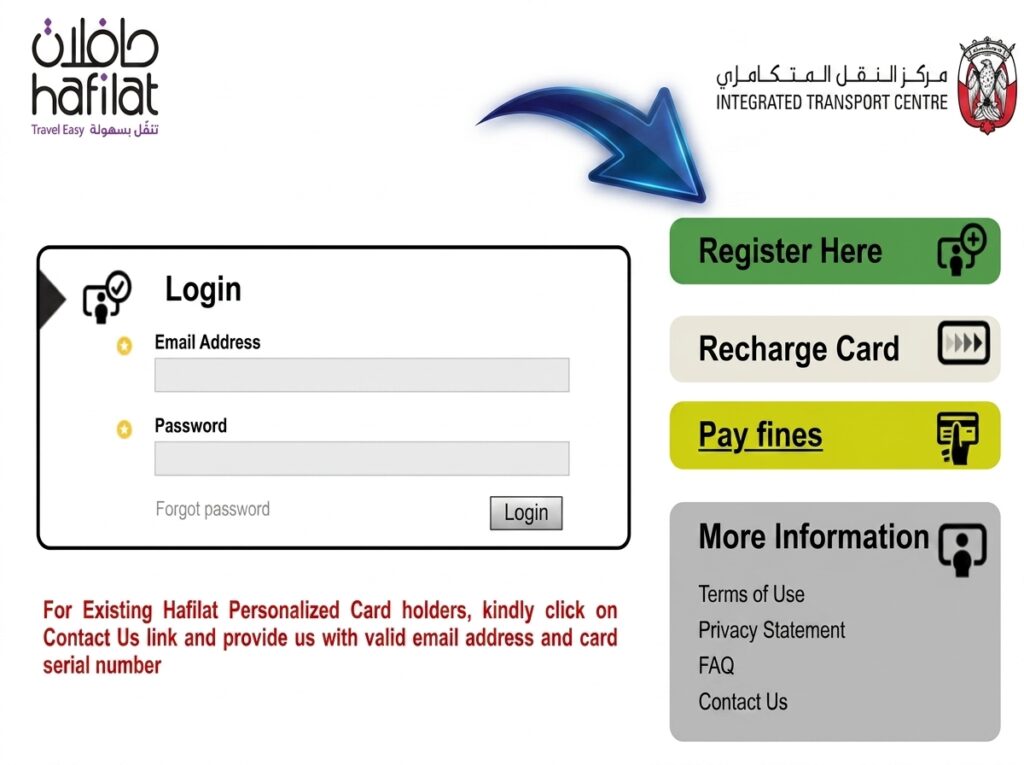
Step 03: Enter all the required information and login to the portal.
Step 04: Select the ‘Recharge Card’ option (this section shows your balance too, despite the name).
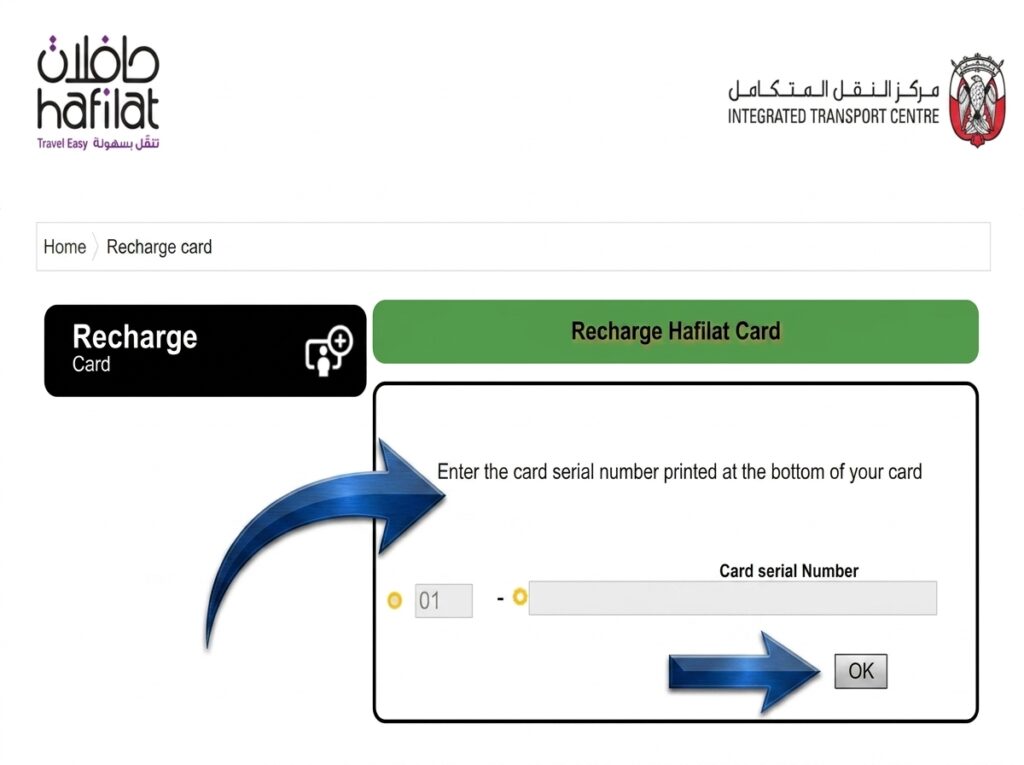
Step 05: Enter your 16-digit card serial number exactly as printed on the back of your card.
Step 06: Complete any security verification and click ‘OK.’
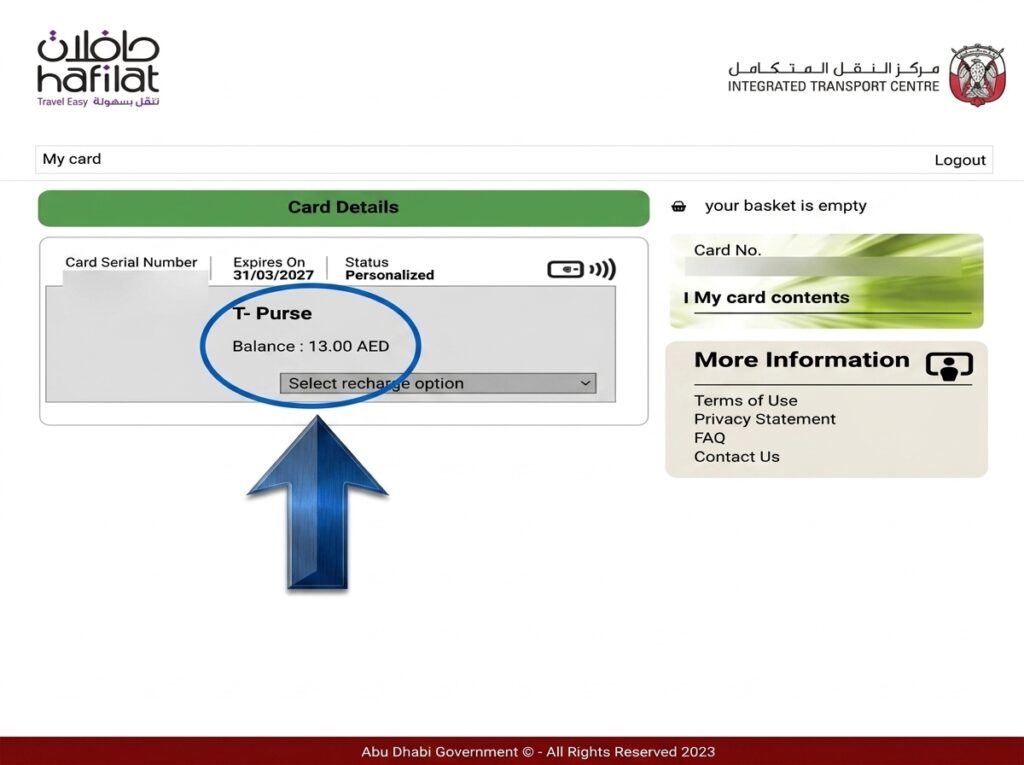
Step 07: Your current balance, recent transactions, and card expiry date appear on the screen.
For full transaction history, create a Darb account and link your personalised card. History is then available under ‘My Cards’.
Via the Darb App
The Darb app shows balance, transaction history, and lets you recharge in one place. Search “Darb Abu Dhabi” on Google Play or the App Store.
Step 01: Download Darb Abu Dhabi from Google Play or the App Store.
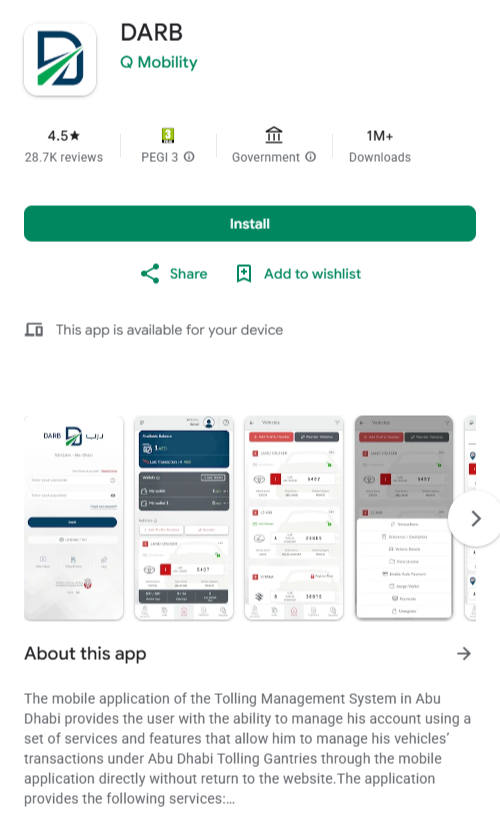
Step 02: Tap Sign Up to create an account using your email address, Emirates ID, and a password. You can login if you already have an account.
Step 03: On the home screen, tap the plus icon to add your Hafilat card.
Step 04: Enter your 16-digit card serial number to link the card to your account.
Step 05: Go to ‘My Cards,’ tap on your Hafilat card, and your balance, validity, and last transactions will appear immediately.
Enable push notifications in the app to get alerted when your balance drops below a set amount. The app also supports recharging directly using a debit or credit card.
Through a Ticket Vending Machine
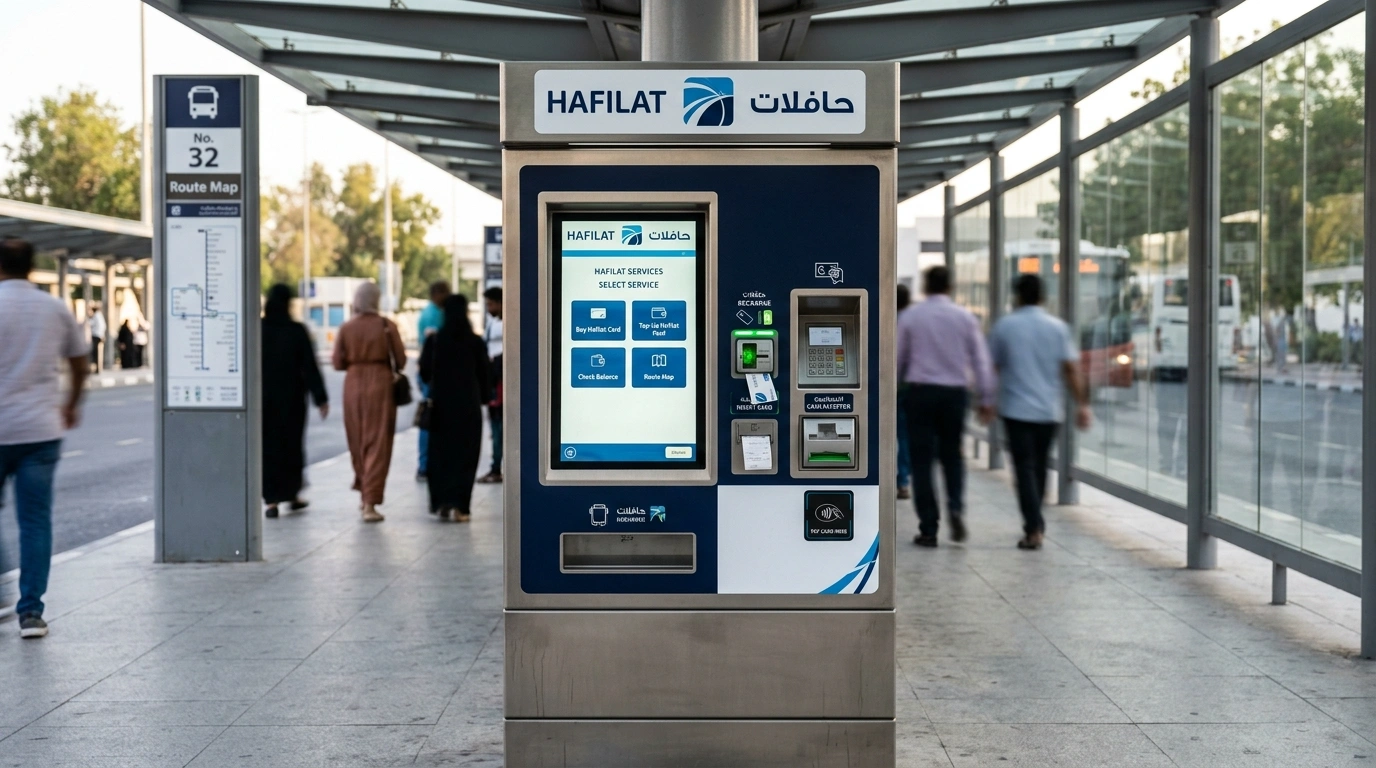
Best option when you have no internet access or want to check and recharge in one step. Ticket Vending Machines (TVMs) are available at all major bus stations including Abu Dhabi Central Bus Station, Al Ain Bus Station, and Musaffah Bus Station.
- Find a Ticket Vending Machine near the bus entry point or waiting area.
- Touch the screen to wake it up and select your preferred language (Arabic or English).
- Choose Balance Inquiry or Check Balance from the menu.
- Place your Hafilat card in the designated reader area.
- Your current balance, card expiry date, and recharge options appear on the screen.
TVMs also allow you to sync a pending online top-up immediately. Just tap your card on the reader and the new balance updates on the spot. No waiting is required.
By Tapping the Bus Validator
Tap on the validator when boarding and your remaining balance shows briefly on the screen for a few seconds. If your balance is below the minimum, the card is rejected with an insufficient balance message. This is a check-and-board method only.
At a Customer Service Counter
Visit an official Hafilat customer service counter at Abu Dhabi Central Bus Station, Al Ain Central Bus Station, or Musaffah Bus Station with your card. Staff will check balances, recharge, and handle replacements with no internet or serial number needed.
Hafilat Balance Check: All Methods Compared
| Method | Internet Needed | Best For | Available |
| Darb official website | Yes | Quick online check, no account needed | 24/7 |
| Darb App | Yes | Regular users, notifications, history | 24/7 |
| Ticket Vending Machine (TVM) | No | Offline check and instant recharge | Station hours |
| Bus Validator tap | No | Quick check while boarding | When bus is available |
| Customer Service Counter | No | Complex issues, card replacement | Business hours |
Important: there is no SMS number to check Hafilat balance remotely. Any website claiming an SMS balance check code exists is unofficial and unreliable. The only valid channels are those listed above.
How to Recharge Hafilat Card Online 2026
The minimum recharge amount across all channels is AED 10. Choose the method that suits your situation.
Via DARB Official Platform
Step 01: Go to the official DARB platform and navigate to ‘Hafilat Cards,’ then ‘Online Services’ then ‘Recharge Card.’
Step 02: Enter your 16-digit card serial number and select your recharge amount.
Step 03: Pay by UAE debit or credit card and save the confirmation.
Step 04: Tap your card on any TVM or bus validator to sync the new credit immediately.
Critical: online top-ups can take up to 48 hours to reflect on your card unless you activate the credit by tapping on a machine. Always sync after any online recharge before trying to board.
Using Darb App
Step 01: Open the Darb app and go to your linked Hafilat card.
Step 02: Tap on ‘Recharge’ and enter the amount (minimum AED 10).
Step 03: Pay with a saved card or enter card details.
Step 04: Tap your card on any TVM or bus validator to sync the new credit.
At a Ticket Vending Machine
- Visit any TVM at a bus station and insert or tap your card into the reader.
- Select ‘Recharge’ and choose your amount (minimum AED 10).
- Pay by cash or card. Balance updates immediately on the spot. No sync step needed.
Hafilat Card Fares and Minimum Balance Abu Dhabi 2026
Fares are deducted at the end of the trip, not when you board. The system requires AED 10 minimum on the card as a security deposit before any boarding is allowed.
| Journey Type | Minimum Fare | Minimum Balance to Board |
| City route (single ride) | AED 2.5 | AED 10 |
| Airport route | AED 4.0 | AED 10 |
| Inter-city routes | Varies by distance | AED 10 |
Hafilat Card Expiry and Balance Expiry: What Is Different?
| Type | Validity |
| Physical card (Anonymous) | 5 years from issue date |
| Physical card (Personalised) | Up to 16 years |
| Loaded balance (any card) | 3 months from last transaction or recharge |
If you stop using your card for 3 months, the money on it expires even if the card itself is still physically valid. To protect your balance, use the card at least once every 3 months, even for a short journey.
Personalised card users can contact ITC to enquire about balance recovery if it has expired on a registered card. Anonymous card holders cannot recover expired balance under any circumstances.
Hafilat Card Not Working: Common Problems and Fixes
| Problem | Cause | Fix |
| Card rejected at bus door | Balance below AED 10 minimum | Recharge via TVM or online, then sync at a machine |
| Online top-up not showing | Credit not synced yet | Tap card on any TVM or bus validator to activate |
| Maximum fare deducted | Did not tap out at end of last journey | Always tap out when exiting. System charges maximum fare for incomplete trips |
| Card not reading at validator | Damaged NFC chip or bent card | Visit customer service counter for a replacement |
| Balance expired | Card unused for more than 3 months | Load fresh credit. Personalised card holders can enquire about recovery |
| Card lost (Anonymous) | No registered account | Balance cannot be recovered. Buy a new card |
| Card lost (Personalised) | Registered to Emirates ID | Contact ITC for a replacement card with balance transfer |
Make sure there are no Abu Dhabi government transport fines on your record, as outstanding fines can affect transport account access.
Final Thoughts
You can check the balance of your Hafilat card on the DARB website with your card serial number. It takes about 30 seconds. For daily commuters, the Darb app gives balance, history, and low-balance notifications in one place. If you use Dubai bus as well, check your Nol card balance through a separate portal as the two systems do not connect.
There are two rules to remember. Always tap out when exiting (forgetting costs you the maximum fare), and sync your card on a machine after any online recharge before trying to board. Those two habits prevent the vast majority of problems Hafilat users run into.
Frequently Asked Questions
How do I check my Hafilat card balance online?
Go to the official DARB website, navigate to Hafilat Cards, then Online Services, then Recharge Card, enter your 16-digit card serial number, complete the security check, and click Submit. Your balance, recent transactions, and card expiry date appear immediately. No login or account is needed.
Is there an SMS number to check Hafilat balance?
No. There is no SMS number that reads your Hafilat balance remotely. The only official methods are the Darb website, the Darb app, a Ticket Vending Machine, or the bus validator tap. Any website claiming an SMS code exists is unofficial.
Why is my online top-up not showing on my card?
Online top-ups can take up to 48 hours to reflect unless you activate the credit by tapping your card on a TVM or bus validator. After any online recharge, tap your card at the nearest machine to sync the balance immediately.
What is the minimum balance needed to board an Abu Dhabi bus?
The minimum fare for a single city ride is AED 2.5 and airport routes require at least AED 4. However, the system requires a minimum of AED 10 on your card as a security threshold before you can board any bus.
What happens if I lose my Hafilat card?
If you lose an anonymous card, the balance is permanently lost. If you lose a personalised card linked to your Emirates ID, contact ITC customer service to apply for a replacement with balance transfer to the new card.

Haris Khan is the lead content expert at TheEmiratesGuides.com, where he oversees the documentation of UAE visa processes, employment opportunities, and government services. With a commitment to factual integrity and real-time updates, he provides the technical expertise necessary to guide readers through the complexities of life and work in the UAE.