
In 2026, you will need a UAE Pass before you can renew your Emirates ID, apply for a visa, book a DHA health appointment, pay an RTA fine, or sign a tenancy contract digitally. It is not something you can put off anymore. It is the access layer for almost every official interaction in the UAE, whether you are dealing with a government authority, a bank, a hospital, or a real estate agent.
The numbers make the scale clear with over 11 million registered users, more than 2.6 billion digital transactions processed, and over 15,000 services now connected to a single UAE Pass login. The app takes under 5 minutes to set up and costs nothing.

This guide covers what UAE Pass actually is, who can register, the exact step-by-step registration process, what services it unlocks, how to sign documents digitally, how the Digital Vault works, and how to fix the most common problems people run into. Before you register, make sure your Emirates ID is active and valid since the registration process uses your Emirates ID number for biometric verification.
What Is UAE Pass?
UAE Pass is the national digital identity platform for the UAE, built and maintained under the UAE government’s digital transformation strategy. It gives every registered user a single verified login to access government, semi-government, and private sector services across all seven Emirates from one app. Three things UAE Pass does:
- Single Sign-On (SSO): One login for over 15,000 connected services. No separate usernames and passwords for each platform. Log in once and every integrated portal recognises you.
- Digital Identity Verification: Prove who you are to any connected service. No physical documents, no queueing at service centres, no paper copies required.
- Digital Signature: Sign official documents legally and securely from your phone. The signature is legally binding on all government bodies, courts, and commercial entities in the UAE.
Who Can Register for UAE Pass?
The digital identity platform is specifically designed to provide convenient access to government and private sector services across the country. It allows various residents and professionals to securely manage their daily administrative requirements from a single unified application.
UAE Residents and Citizens
Anyone with a valid Emirates ID can register and access the full feature set, including Qualified Electronic Signature activation. A newly arrived expat can register on day one using just the Emirates ID number and a selfie for face verification. The physical card does not even need to arrive yet. The ID number alone is enough to start the process.
Business Owners
Business owners and company PROs use UAE Pass for trade license renewals, employee visa management, MOHRE compliance, DED applications, and most government-to-business interactions. In 2026, practically every government business portal in the UAE will require UAE Pass authentication. It is the default login method, not an alternative.
Tourists and Visitors
Tourists and short-term visitors can register for UAE Pass using their passport. With basic registration, they can access digital services, verify documents, and complete some formalities without visiting government offices. However, full biometric verification and the Qualified Electronic Signature features require an Emirates ID. Standard tourists on visit visas cannot access the complete feature set until they have a valid Emirates ID linked to a residence visa.
What You Need Before Registering
| Requirement | Residents | Tourists / Visitors |
| Emirates ID number | Required | Not required |
| Valid UAE mobile number | Required | Required |
| Email address | Required | Required |
| Passport | Optional (backup) | Required |
| Smartphone with camera | Required (face verification) | Required |
Registration is completely free. No government fees, no typing centre visit required, no appointment needed. The only thing that can slow you down is a mobile number mismatch between your ICP record and the number you are registering with, or a face verification failure due to poor lighting.
How to Register for UAE Pass
Setting up your digital identity is a straightforward process that can be completed through multiple official channels. Depending on your preference and available documents, you can choose the most convenient method to activate your account securely.
Method 1: Register via the UAE Pass App
This is the recommended route for most residents. The whole process takes under 5 minutes from download to active account.
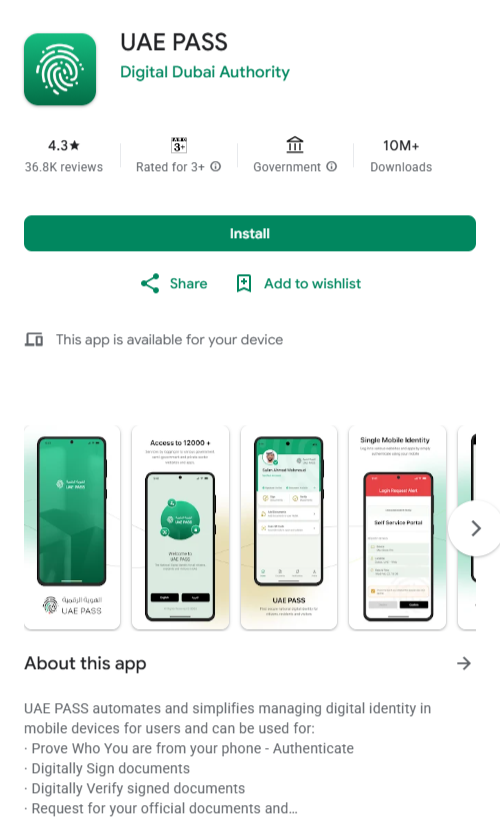
- Open the Google Play Store (Android) or the Apple App Store (iPhone). Search for “UAE Pass” and download the official app published by UAE Pass. Do not download from any third-party source.
- Open the app and tap “Register.”
- Select “UAE Resident” as your account type, or Visitor if you do not have an Emirates ID.
- Enter your Emirates ID number and date of birth exactly as they appear on your card.
- Enter your UAE mobile number and verify it with the OTP sent to your phone.
- Enter your email address and confirm it using the link sent to your inbox.
- Create a secure 6-digit PIN. This PIN is used every time you approve a UAE Pass login or sign a document. Keep it private.
- Complete face verification. The app uses biometric facial recognition to match your face against the photo in your Emirates ID record held by ICP. Use even lighting, remove glasses, and hold the phone at eye level. The verification takes a few seconds.
- Activate Digital Signature inside the app settings. Without this step your UAE Pass works for login but not for document signing.
- Your UAE Pass account is now active. You will receive a confirmation SMS on your registered mobile number.
Method 2: Register at a UAE Pass Kiosk
If you prefer in-person verification or the app method did not complete successfully, UAE Pass kiosks handle the full registration process. Kiosks are available at ICP Customer Happiness Centres, major malls, and government service buildings across all Emirates.
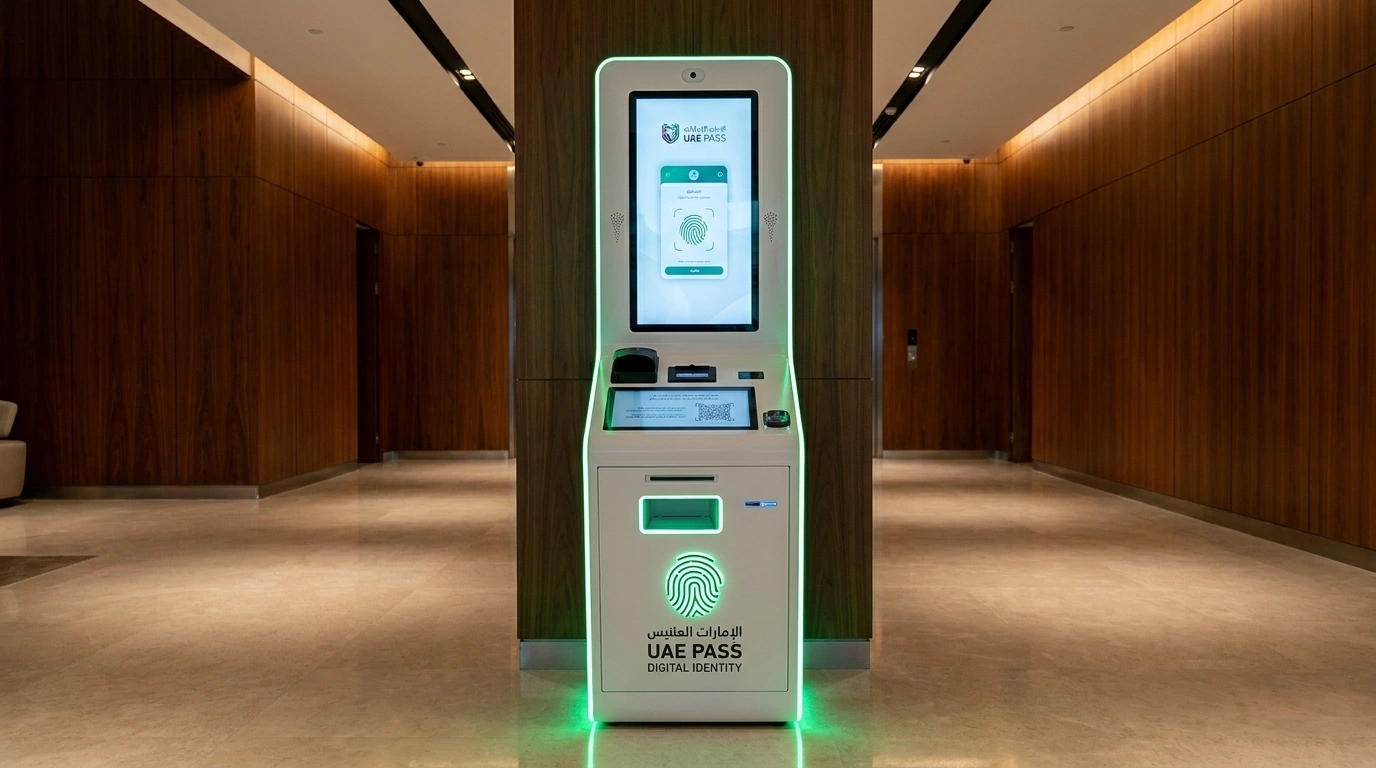
- Find the nearest kiosk using the UAE Pass app or the kiosk locator.
- Place your Emirates ID into the self-service machine
- The kiosk guides you through the verification process. Follow the on-screen instructions.
- Provide a fingerprint scan for biometric verification
- Create a password specifically for Qualified Electronic Signatures. This is separate from your app PIN.
- Registration is complete. Your account activates with full features including a Qualified Electronic Signature.
What Services Does UAE Pass Unlock?
The short answer is: almost everything official in the UAE. Once your UAE Pass is active, you stop creating new accounts for every government portal. One login works everywhere.
| Platform | What You Can Do via UAE Pass |
| ICP (icp.gov.ae) | Emirates ID renewal, visa applications, residency status check, personal data update |
| MOHRE | Work permit applications, WPS compliance, labour contracts, employer verification |
| DHA Dubai | Health appointments, insurance status check, medical records access |
| RTA | Traffic fines payment, driving license renewal, Salik account management |
| RERA | Broker permit registration and renewal |
| DED | Trade license renewal and business services |
| Dubai Police | Fine check, complaint filing, travel ban check |
| DEWA | Utility account management and bill payment |
For RTA-related services, you can pay fines, renew your driving license, and manage Salik directly through UAE Pass authentication. Check your RTA fine balance and Dubai Police fines without creating separate accounts on each platform.
For ICP services, UAE Pass is now the default authentication method for Emirates ID renewal and UAE visa status check. If you do not have a UAE Pass set up, ICP portal access becomes significantly more limited.
Private sector integration: Beyond government services, major UAE banks, hospitals, real estate platforms, and telecom providers accept UAE Pass login. In many cases it replaces traditional username and password authentication entirely.
How to Sign Documents Digitally with UAE Pass?
Digital signature is one of the most genuinely useful features in UAE Pass and one of the least used because people do not know it exists. You can sign official documents legally from your phone, with no printing, scanning, or physical presence required.
Standard Digital Signature
- Open the UAE Pass app and tap on “Sign Document.”
- Upload the document in PDF format.
- Place your signature in the field where required on the document.
- Confirm your PIN or biometric.
- The signed document is saved in the app and can be shared directly or downloaded.
You can also sign documents through the UAE Pass Self Care portal if you prefer a browser over the app. The device requirements for signing through the web portal are: iOS 16.x or newer, or Android 8.0 or newer on mobile, and Google Chrome, Microsoft Edge, or Mozilla Firefox on desktop. Use distinct devices for authentication and document signing when completing sensitive government transactions.
Qualified Electronic Signature
The Qualified Electronic Signature (QES) is the highest-level signature available through UAE Pass. It is legally binding across government bodies, courts, and commercial entities and is used for contracts, legal submissions, and binding government applications. Activation requires kiosk registration. If you completed registration via the app only, visit a UAE Pass kiosk to activate QES separately.
How to Verify a Signed Document
Open the UAE Pass app and tap on “Verify Signature.” Upload the document you want to verify. The app shows a list of current signatures on the document along with the validity status of each. You can also do this through the Self-Care portal under the “Sign and Verify” tab. This works for documents signed by others too, so you can confirm authenticity before accepting any signed agreement.
The Digital Vault
Most UAE Pass users never open the Digital Vault and most of them are missing a genuinely useful feature. The Digital Vault lets you store all official government documents digitally in one secure place and share them with any connected service provider without printing or scanning anything.
How to add a document: Open the app and tap “Add Documents.” Select the government department that issues the document. Once verified, the document is saved in the “Documents” section of your vault.
What you can store: Emirates ID, driving license, vehicle registration, educational certificates, and any document issued by a connected government entity.
Security: The Digital Vault runs on blockchain technology, which means every access to a document creates a traceable, tamper-proof record. You control who sees what. Documents are shared from the Vault on a per-transaction basis, not permanently.
Once your Emirates ID is in the Vault, you share it digitally when opening a bank account, applying for a service, or completing any verification that previously required a photocopy. The physical card stays in your wallet.
Common Problems and How to Fix Them
Users occasionally face minor technical hurdles or access interruptions while navigating the digital platform. Fortunately most of these routine errors can be resolved quite easily by following basic troubleshooting steps.
Forgot UAE Pass PIN
Open the app and tap on “Forgot PIN Code.” Verify your identity using your registered mobile number or biometric authentication. Follow the prompts to create a new PIN and confirm it. The process takes under two minutes. If biometric verification also fails, visit the nearest UAE Pass kiosk with your Emirates ID for manual identity verification and PIN reset.
Face Verification Fails During Registration
The most common causes are backlighting behind your head, glasses reflecting light, moving the phone during the scan, or your current appearance differing significantly from your Emirates ID photo. If you want to fix this, make sure you are in a well-lit room with light falling on you rather than behind you. Remove your glasses and hold your phone steady at eye level. If it still fails after three attempts, complete registration at a UAE Pass kiosk.
Account Already Exists Error
This means a UAE Pass account is already linked to your Emirates ID. Do not create a duplicate account. It will be rejected by the system. Instead, use the Forgot PIN flow on the login screen to recover access to your existing account. If you no longer have access to the registered mobile number, visit an ICP Customer Happiness Centre with your Emirates ID and passport for identity-verified account recovery.
UAE Pass Login Not Working on ICP Portal
This is almost always a mobile number mismatch. Your UAE Pass is registered to one number but your ICP file has a different number linked to your Emirates ID. When the two do not match, authentication fails. The fix is to change your mobile number in Emirates ID so both records are synced. Once updated in ICP, UAE Pass login on the portal resumes normally.
Emirates ID Expired During UAE Pass Registration
You cannot complete biometric verification with an expired Emirates ID in the ICP system. Renew your Emirates ID first. The Emirates ID renewal process covers steps, fees, and timeline. Once the new card is processed and the ICP record is updated, return to UAE Pass registration.
UAE Pass Security: What to Know
UAE Pass uses 256-bit encryption and biometric authentication to protect your data. The platform is built to the highest security standards set by the UAE government’s digital infrastructure. Here are a few things that are worth knowing about:
- Never share your PIN with anyone. No official UAE Pass representative will ever ask for it.
- UAE Pass does not offer WhatsApp banking or balance check services. Any WhatsApp message claiming to be UAE Pass support is a scam. Report it to the UAE Cybercrime hotline on 8002626 and block the contact immediately.
- Enable biometric login (fingerprint or Face ID) within the app settings for faster and more secure daily access.
- Always download UAE Pass only from the official App Store or Google Play. Third-party downloads are not safe.
- If you lose your phone, call UAE Pass support on 600 561 111 immediately. You can also log into the Self Care portal from any browser and deactivate your account before setting it up on a new device.
Frequently Asked Questions
Is UAE Pass free?
Yes. UAE Pass is completely free for citizens, residents, and businesses. There are no charges for downloading the app, registering, or using the digital identity and signature features. Some specific services accessed via UAE Pass may have their own government or agency fees, but the UAE Pass platform itself costs nothing.
Can tourists register for UAE Pass?
Tourists can register with a passport and get basic access. However, full biometric verification and Qualified Electronic Signature features require an Emirates ID. Standard tourists without a valid Emirates ID cannot access the complete feature set.
Is the UAE Pass digital signature legally binding?
Yes. Digital signatures generated through UAE Pass are legally binding in the UAE, fully recognised by government bodies, courts, and commercial entities. The Qualified Electronic Signature (QES), activated at a UAE Pass kiosk, is the highest level and carries the same legal weight as a handwritten signature.
What if I lose my phone?
Call UAE Pass support on 600 561 111 immediately to report the loss. Log into the UAE Pass Self Care portal from any other device and deactivate your account. Once you have a new phone, re register or restore your account through the app.
Does UAE Pass work across all seven Emirates?
Yes. UAE Pass is a federal platform, not limited to any single emirate. It works for Dubai, Abu Dhabi, Sharjah, Ajman, Ras Al Khaimah, Fujairah, and Umm Al Quwain services equally. A single account works everywhere.

Haris Khan is the lead content expert at TheEmiratesGuides.com, where he oversees the documentation of UAE visa processes, employment opportunities, and government services. With a commitment to factual integrity and real-time updates, he provides the technical expertise necessary to guide readers through the complexities of life and work in the UAE.