
The OTP goes to a number you stopped using six months ago. Your bank cannot verify you. The ICP portal sends a code to an old SIM that is either disconnected or sitting in a drawer somewhere. You are locked out of UAE Pass. And now a simple task like renewing your visa or paying a bill has turned into a much bigger problem than it needed to be.
This is one of the most common issues UAE residents run into in 2026, and the fix is straightforward once you know the right method. There are four official ways to change the mobile number on your Emirates ID: through the ICP Smart Services website, the UAEICP app, a Smart Police Station in Dubai (free and instant), or an ICP Customer Happiness Centre in any emirate. The fee is AED 53 online. It is free at Smart Police Stations. Processing takes 2 to 7 working days online and is instant at Smart Police Stations.

One thing most people do not know: UAE law requires you to update your personal information with ICP, including your mobile number, within one month of any change. Waiting too long is not just inconvenient. It is technically a breach of the regulation. After the update, always check your Emirates ID status to confirm the new number has been applied correctly.
Why the Mobile Number on Your Emirates ID Matters?
Most people think of the mobile number on their Emirates ID as a simple contact detail, but it is not. It is the OTP gateway for almost every government and private sector service in the UAE. When a platform needs to verify who you are, it sends a code to the number registered in your ICP file. If the number is wrong, the code never reaches you. Here is what stops working when your Emirates ID mobile number is outdated:
- UAE Pass login sends a verification code to the wrong number, locking you out of every linked government service.
- ICP portal and app cannot authenticate you, blocking any future updates or applications.
- Bank OTPs and transaction alerts fail, which can freeze your ability to make transfers or pay online.
- Visa application and renewal SMS notifications go to a number nobody is monitoring.
- Emirates ID card printing and delivery SMS never reaches you, and uncollected cards get returned to ICP after 90 days.
- Healthcare portals, school systems, and employer HR platforms all use this number for identity verification.
What You Need Before You Start
The update process is short, but a single wrong detail can cause rejection without a fee refund. Have these ready before you open the portal.
| Requirement | Details |
| Valid Emirates ID | Original card or the 15-digit ID number |
| Passport | Original or clear copy for identity verification |
| Active UAE residence visa | Must be valid at time of update |
| New UAE mobile number | Active UAE number only. Foreign SIMs cannot be registered |
| OTP access to the new number | You must receive an SMS on the new number at the time of submission |
Important: Only UAE mobile numbers can be linked to an Emirates ID. Foreign SIM cards are rejected by the system regardless of which country they are from. If you are currently using a foreign number in the UAE get a local UAE SIM from du or Etisalat first then complete the update.
How to Change Mobile Number in Emirates ID (Offline & Online Methods)
The government currently offers four official channels to update your registered contact details securely. Simply review the available options below and choose the exact route that best fits your personal situation.
Method 1: ICP Smart Services Website
Fee: AED 53
Processing time: 2 to 7 working days
Best for: Residents who want to complete the process from home without visiting an office.
This is the most commonly used route. The ICP Smart Services portal handles the full update process online.

- Go to ICP’s official portal and log in using your UAE Pass or your existing ICP account credentials.
- Navigate to “Update Personal Information” and click “Start Service.”
- Select your nationality. Enter your Emirates ID number, passport details, and last UAE entry date.
- Locate the mobile number field. The current registered number appears partially hidden on the screen.
- Enter your new UAE mobile number in the update field.
- An OTP is sent to the new number. Enter it to verify. The system verifies the new number only, not the old one
- Review all details carefully before payment. A wrong passport number at this stage causes rejection.
- Pay the AED 53 service fee by UAE debit or credit card.
- Submit and save the reference number Screenshot it or write it down.
- Confirmation SMS arrives on your new number once processing is completed, within 2 to 7 working days.
One thing many people miss: The system sends the OTP to your new number, not the old one. You do not need to enter or access the old number at any point during the online update. This is critical for anyone whose old SIM is disconnected or lost.
Method 2: UAEICP Mobile App
Fee: AED 53
Processing time: 2 to 7 working days
Best for: Mobile users who prefer to complete everything from their phone.
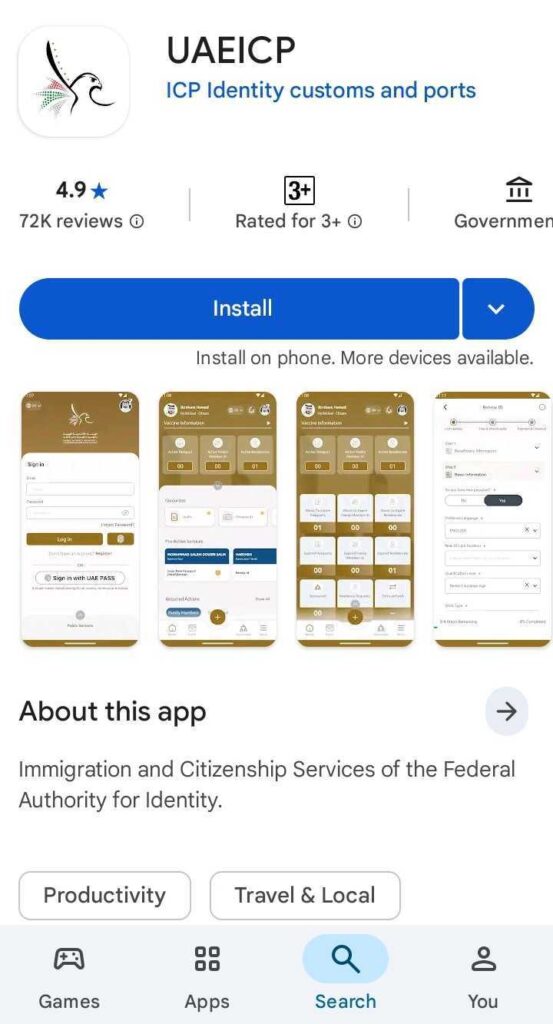
- Download the UAEICP app from the Google Play Store or the Apple App Store.
- Login with UAE Pass or your ICP account credentials.
- Go to “Public Info” then select “Update Personal Info.”
- Enter your Emirates ID details and passport information.
- Enter the new UAE mobile number and verify with the OTP sent to the new number.
- Pay AED 53 by card within the app.
- Save the reference number. Confirmation arrives at the new number in 2 to 7 working days.
Method 3: Smart Police Station in Dubai (Free and Instant)
Fee: Free
Processing time: Instant
Best for: Dubai residents who need this done today, or those whose UAE Pass is locked on the old number.
Dubai’s Smart Police Stations (SPS) process Emirates ID mobile number updates on the spot at no cost. This is the only method in 2026 that is both free and immediate. If your situation is urgent or your old number is completely unreachable, this is where to go.

- Visit any Dubai Smart Police Station. Locations include La Mer, Mall of the Emirates, and multiple other sites across Dubai.
- Bring your Emirates ID and passport.
- Request a mobile number update at the kiosk or service counter.
- Staff will verify your identity using your documents. No OTP on the old number is required.
- The update is processed immediately. You will receive an SMS confirmation on your new number within minutes.
Method 4: ICP Customer Happiness Centre (All Emirates)
Fee: AED 53 (confirm at the centre as fees may vary)
Processing time: 1 to 2 working days
Best for: Residents outside Dubai who need in-person assistance

- Visit the nearest ICP Customer Happiness Centre with your Emirates ID and passport
- Tell the service counter you need a personal information update or a mobile number change
- Staff will verify your identity from your documents and process the request
- Update is typically completed in 1 to 2 working days
ICP contact number: 600 522 222. If you are not sure where the nearest centre is, the ICP Customer Happiness Centres page has locations across all Emirates.
Note on typing centres: Amer and Tasheel centres can submit the request on your behalf for an additional AED 50 to AED 70 service fee on top of the standard AED 53 government fee. Use this option if you are not comfortable navigating the portal yourself.
All Methods at a Glance
| Method | Fee | Processing Time | Best For |
| ICP Website | AED 53 | 2 to 7 working days | Home, any device, any emirate |
| UAEICP App | AED 53 | 2 to 7 working days | Mobile users |
| Smart Police Station Dubai | Free | Instant | Urgent cases, lost old number |
| ICP Customer Happiness Centre | AED 53 | 1 to 2 working days | All emirates, in-person help |
| Typing Centre (Amer or Tasheel) | AED 53 plus AED 50 to 70 | 2 to 7 working days | Assisted submission |
Cannot Access the Old Number Linked to Your Emirates ID?
This is the question competitors rarely answer properly. Here is the full picture.
The online and app methods send the OTP to your new number, not the old one. You are not required to enter the old number or receive a code on it at any stage of the online update. This means if you have a new active UAE SIM, you can complete the ICP website or app update even if the old number is completely disconnected.
The problem only becomes difficult if the UAE Pass itself is locked because it is tied to the unreachable old number. UAE Pass uses the Emirates ID registered number for its own verification, so if that number is gone, you cannot log into UAE Pass, and that blocks the portal and app routes.
In that case, your options are:
- Smart Police Station in Dubai are the fastest fix. Staff verify your identity in person using your Emirates ID and passport. No OTP is needed. Update is instant and free.
- ICP Customer Happiness Centre in any Emirates. Same process: in-person identity verification, no OTP on the old number required. Takes 1 to 2 working days.
Before going in person, check if there are any Emirates ID fines on your record. Outstanding fines can sometimes create delays in processing personal information updates at service centres.
Common Mistakes When Updating Emirates ID Mobile Number
| Mistake | What Happens | How to Avoid It |
| Entering wrong passport number | Request rejected, fee not refunded | Double check passport number before payment |
| New SIM not yet active | OTP never arrives | Ensure SIM has an active plan and UAE credit |
| Using a foreign number | System rejects it immediately | Get a UAE SIM first, then update |
| Not saving reference number | Cannot track application status | Screenshot the reference immediately after payment |
| Assuming telecom auto-updates | du or Etisalat still shows old number | Update separately with your telecom provider |
| Paying again after rejection | Fee not refunded, double charged | Contact ICP on 600 522 222 before resubmitting |
The most important thing people miss: Updating your mobile number on your Emirates ID does not automatically update it on your du or Etisalat account. These are completely separate systems. After your Emirates ID update is confirmed, you need to update your number with your telecom provider separately. The du and Etisalat Emirates ID update covers exactly how to do that for both providers.
How to Confirm Your Emirates ID Mobile Number Has Been Updated
After submission, you will receive a reference number. Do not lose it. Use it to track your requests on the ICP portal under the “Application Status” section, or through the UAEICP app under your active requests. Once the update is processed, do these four things to confirm everything is working:
- Log back into the official ICP webpage and check your personal information. Confirm the new number is shown on your Emirates ID.
- Open your UAE Pass and verify that the linked number has been refreshed. If it still shows the old number, log out completely and log back in.
- Test an OTP by accessing any government service. If the code arrives at your new number, the update is complete.
- Check with your bank that the new number is recognised for OTP delivery. Banks run their own verification systems separately from ICP and may need a separate update on their end.
Frequently Asked Questions
How do I change the mobile number on my Emirates ID?
There are four ways to do so. The ICP Smart Services website, the UAEICP mobile app, a Smart Police Station in Dubai (free and instant), or an ICP Customer Happiness Centre in any emirate. Online and app methods cost AED 53 and take 2 to 7 working days. Smart Police Stations do it on-the-spot for free.
How much does it cost to change the mobile number on an Emirates ID?
AED 53 through the ICP website or the UAEICP app. Free at Dubai Smart Police Stations. Typing centres like Amer and Tasheel charge AED 50 to AED 70 on top of the AED 53 government fee for their submission service. Always confirm the current fee on the ICP portal before paying, as amounts can be revised.
Can I update my Emirates ID mobile number if I no longer have an old number?
Yes. The online and app methods only send OTP to your new number, not the old one. If your old number is unreachable but you have a new and active UAE SIM, you can complete the update online without any issues. If the UAE Pass is locked because it is tied to the old number, visit a Smart Police Station in Dubai or an ICP Customer Happiness Centre for an in-person update that does not require OTP on the old number.
How long does an Emirates ID mobile number update take?
Online and app updates take 2 to 7 working days. Smart Police Stations process it instantly. ICP Customer Happiness Centres typically take 1 to 2 working days.
Is there a legal deadline for updating the mobile number on my Emirates ID?
Yes. UAE law requires residents to update their personal information with ICP, including mobile numbers, within 1 month of any change. This is cited on the official government portal. Waiting for longer is technically non-compliant.
Final Thoughts
The actual update takes under 10 minutes online. At a Smart Police Station, it takes even less. The problem is that most people only find out their Emirates ID number is wrong when a bank locks them out, a visa update fails, or a government portal refuses to send an OTP that never arrives. At that point, they are already stuck.
If you are in Dubai and need this done today, the Smart Police Station is the answer. Free, no waiting, processed on the spot. If you are in any other emirate and cannot wait several days, go to an ICP Customer Happiness Centre directly rather than using the online route. Either way, there is no reason to stay locked on an old number.
After you update the number, make sure your UAE residence visa details are also current in the ICP system. Personal information updates work best when all your records are consistent.

Haris Khan is the lead content expert at TheEmiratesGuides.com, where he oversees the documentation of UAE visa processes, employment opportunities, and government services. With a commitment to factual integrity and real-time updates, he provides the technical expertise necessary to guide readers through the complexities of life and work in the UAE.